

Best AI Image Prompts for ChatGPT, Gemini and AI Image Generators Prompts For Photos
AI image generation has changed the way people create photos, advertisements, social media posts, product visuals, posters, thumbnails, portraits, and digital artwork. A few years ago, creating professional-looking visuals usually meant hiring a photographer, learning Photoshop, finding stock images, or paying a designer. Today, tools such as ChatGPT, Google Gemini, Midjourney, Nano Banana, DALL·E, and other AI image platforms can turn a written idea into a detailed visual within minutes. Prompts For Photos But there is one problem that almost every beginner faces: what exactly should you type into the AI tool to get the image you actually want?
That is where PixPrompt becomes useful. PixPrompt is an AI prompt gallery focused on ready-to-use prompts for image generation and photo editing. Its current website presents a large collection of prompts that users can browse, copy, and use with AI image-generation tools. The web gallery currently displays more than 800 prompts, covering styles such as surreal, cinematic, portrait, editorial, Y2K, art, and other creative categories, Prompts For Photo Generation.
The bigger opportunity is not simply using a prompt gallery for fun. AI prompts are becoming useful for business marketing, product photography, social media content, personal branding, advertising creatives, YouTube thumbnails, fashion concepts, e-commerce images, and digital content creation. That makes this topic especially interesting for bloggers because commercial-intent AI keywords can connect naturally with software, productivity, design, marketing, photography, and creator-economy audiences.
What Is PixPrompt?
PixPrompt is a platform where users can discover ready-made AI image generation and photo-editing prompts and then use those prompts with compatible AI tools. Instead of starting with a completely blank text box, users can browse examples and find instructions designed around a particular visual style or result. The current PixPrompt website describes itself as an AI prompt gallery and says it offers hundreds of prompts that can be copied and used to create images.
The concept is simple. Imagine you want to create a cinematic portrait but do not know how to describe camera angle, lighting, clothing, background, lens characteristics, composition, skin texture, and mood. You could spend thirty minutes experimenting with different instructions, or you could start with an existing prompt and modify the parts that matter to you. That is the main advantage of a prompt library: it gives you a starting point instead of forcing you to create everything from zero.
The broader PixPrompt ecosystem has also expanded beyond a simple collection of prompts. Its current app information describes features such as one-tap copying, favorites, categories, search, regularly updated prompts, and support for several AI image-generation platforms. Recent app updates also mention prompt-building functionality and video-oriented prompt features.
How PixPrompt Helps You Create Better AI Images
The quality of an AI-generated image is influenced by many factors. A short instruction such as “make a cinematic portrait” gives an image model a lot of freedom. That can sometimes produce something attractive, but it may not match the exact visual you had in mind. A detailed prompt can describe the subject, environment, camera perspective, lighting, clothing, composition, colors, mood, image ratio, and other characteristics.
A prompt gallery helps users understand what a detailed instruction can look like. For example, the current PixPrompt gallery includes prompts that specify photography styles, camera perspectives, lighting, textures, clothing, composition, and aspect ratios.
This can be particularly useful for beginners. Instead of learning prompt engineering as a completely separate skill, users can study successful examples and gradually understand how different instructions influence an image. Over time, you can start editing prompts yourself and create reusable templates for your own work.
Why AI Image Prompts Matter
Think of an AI image generator as a highly capable artist who cannot read your mind. You may know exactly what you want to see, but the model only receives the information you provide. If your instructions are vague, the output can be vague as well.
A good prompt works almost like a creative blueprint. It tells the model what the main subject should be, what the environment looks like, what mood the image should communicate, how the camera should be positioned, and what visual details should receive attention. You do not necessarily need an extremely long prompt every time, but you do need the right information in the right order.
This is why AI prompt websites are becoming useful resources. They are not only collections of sentences. They can also function as examples of how experienced creators describe images.
What Can You Find on PixPrompt?
The current PixPrompt web gallery contains a broad mixture of visual styles. The homepage currently displays categories and prompts around themes such as surreal imagery, Y2K photography, high-fashion portraits, cinematic photography, editorial artwork, posters, film aesthetics, and lifestyle photography.
That variety matters because different users have different goals. Someone creating an Instagram profile picture does not need the same prompt as an online store owner creating a product advertisement. A YouTube creator may need a dramatic thumbnail concept, while a photographer may be interested in realistic lighting and camera descriptions.
A good prompt library makes discovery easier by allowing users to search according to their desired style rather than starting with technical prompt-writing terminology.
Trending and Viral AI Photo Prompts
One of the strongest use cases for prompt websites is discovering trending AI photo styles. Social media trends can move incredibly quickly. A particular portrait style, cinematic effect, vintage camera look, or creative transformation can become popular on Instagram, TikTok, YouTube Shorts, and other platforms.
PixPrompt’s app descriptions specifically mention categories such as trending, portrait, cinematic, and other creative styles.
For content creators, this can reduce the time between discovering a trend and creating content around it. Instead of researching every technical element of a visual style, you can begin with a prompt designed around that concept and personalize it.
The important point is to avoid copying someone else’s identity or using AI to create misleading representations of real people. Prompt inspiration works best when it is used to create original content, personal branding, fictional characters, product concepts, and creative visual stories.
Portrait, Cinematic and Creative Prompts
Portrait prompts remain one of the most popular categories because almost everyone wants better profile photos, professional portraits, fashion images, or social-media visuals. A strong portrait prompt can include details about lighting, lens perspective, facial expression, clothing, environment, depth of field, and photographic texture.
Cinematic prompts take the concept further. Instead of simply generating a person standing in front of a background, they can establish a scene, mood, visual storytelling, dramatic lighting, and camera composition.
The PixPrompt gallery currently includes examples of high-fashion editorial portraits, cinematic full-body photography, film-inspired images, and other detailed visual concepts.
How to Use PixPrompt Step by Step
Using a prompt gallery does not require advanced AI knowledge. The basic workflow is surprisingly simple: find an idea, open the prompt, copy it, customize the relevant information, and paste it into your preferred AI image generator.
The current PixPrompt website is built around this discovery-and-copy experience, while its app listings specifically describe one-tap prompt copying and categories for easier browsing.
The most important step is customization. A ready-made prompt may describe a young man, a specific outfit, a particular background, or a certain composition. You should replace those details with information relevant to your own project rather than blindly copying the entire prompt.
For example, if a prompt describes a fashion model but you need a product photograph, you can keep the useful lighting and camera instructions while changing the subject completely. That is where prompt libraries become much more powerful than simple copy-and-paste tools.
Find the Right Prompt
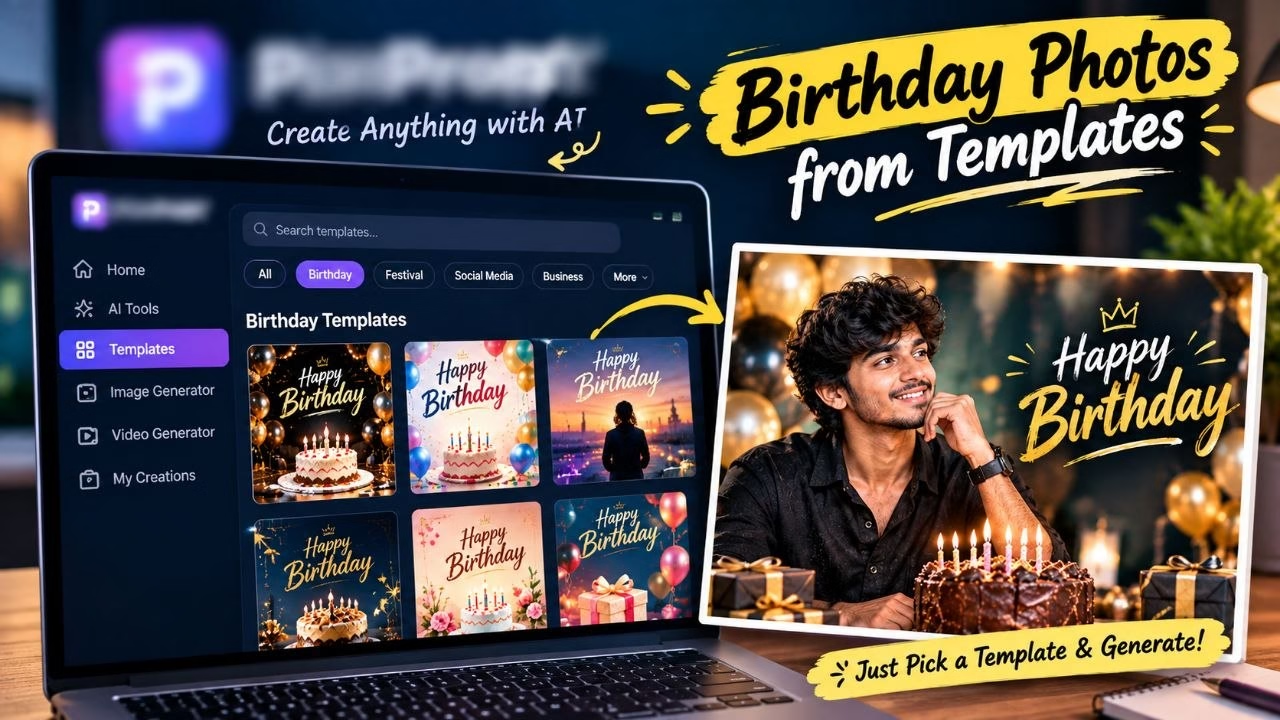
Start by deciding what you actually want to create. Are you making a profile picture, product advertisement, fashion image, Instagram post, YouTube thumbnail, birthday image, travel scene, cinematic poster, or business creative?
Once you know the purpose, look for a prompt whose structure matches it. Choosing a prompt simply because the preview looks beautiful can lead to disappointing results if the underlying composition is completely different from what you need.

For commercial projects, pay particular attention to prompts that describe product placement, advertising composition, studio lighting, negative space, branding areas, and realistic materials. These details can be more valuable than decorative effects.
Copy, Customize and Generate
After selecting a prompt, copy it into your preferred AI image tool. Then replace generic details with your own requirements. If you are using a reference image, clearly explain which elements should remain consistent and which elements can change.
Do not be afraid to shorten a prompt. More words do not automatically mean a better image. The goal is to give the model useful visual information without creating contradictory instructions.
Generate the image, inspect the result, identify what went wrong, and adjust the prompt. This iterative process is often more effective than trying to create a perfect instruction in one attempt.
PixPrompt for ChatGPT and Gemini
ChatGPT and Google Gemini have become popular choices for AI-assisted image creation and editing, and PixPrompt is designed to provide prompts that can be used with AI image-generation workflows. The current app descriptions specifically mention ChatGPT and Google Gemini, alongside other image-generation systems.
For a beginner, the workflow is straightforward. Find a prompt that matches the desired style, copy it, paste it into the AI tool, and then add your own image or instructions where appropriate.
This becomes especially useful when working with personal photographs. Instead of asking an AI model something broad like “make my photo cinematic,” you can provide a detailed visual direction covering lighting, framing, clothing, environment, color treatment, and atmosphere.
For marketers, this workflow can also speed up creative experimentation. You can create multiple visual directions for a campaign without commissioning a completely new photoshoot for every concept.
PixPrompt for Nano Banana and Other AI Image Tools
The AI image ecosystem changes rapidly, and prompt compatibility can vary between models. Current PixPrompt app information specifically highlights prompts optimized for Nano Banana, Google Gemini, and ChatGPT, while also mentioning tools such as Midjourney, DALL·E, and Stable Diffusion.
This matters because different models can interpret the same instruction differently. A prompt that produces a fantastic portrait in one system may need adjustments in another system. Users should therefore treat prompt libraries as starting points rather than universal guarantees.
If a prompt does not produce the expected result, change one variable at a time. Adjust the camera description, subject position, lighting, background, or image ratio instead of rewriting the entire prompt. This makes it easier to understand which instruction is actually affecting the output.
Best AI Prompt Categories for Creators
There is no single “best” AI prompt category because the right choice depends on what you are trying to accomplish. Personal creators may prioritize portraits and social-media images, while businesses may care more about advertising, product photography, and marketing visuals.
The strongest commercial categories are often those that solve a business problem. For example, an online seller needs product images. A real-estate marketer needs property visuals. A fashion creator needs editorial photography. A social-media manager needs a constant stream of fresh creative assets.
That creates a much broader content opportunity around AI prompts. Instead of publishing only “100 viral AI prompts,” a website can create specialized articles such as AI prompts for product photography, AI prompts for real estate marketing, AI prompts for fashion brands, and AI prompts for social media ads.
AI Portrait and Fashion Prompts
AI portrait prompts can be used for professional profile images, social-media posts, fashion concepts, magazine-style portraits, and personal branding. The strongest prompts usually describe the subject and the visual environment rather than relying on generic adjectives.
For example, instead of saying “make a stylish photo,” a stronger instruction might specify an editorial setting, natural skin texture, controlled studio lighting, a particular lens perspective, realistic fabric details, and a defined composition.
Fashion prompts can also combine photography with graphic design. A model can be positioned against a minimal background with negative space reserved for campaign text. That turns an ordinary portrait prompt into something closer to a marketing asset.
AI Product Photography Prompts for Business
This is one of the most interesting high-value areas for AI content. Businesses constantly need product photographs for websites, marketplaces, advertisements, catalogs, social media, and promotional campaigns.
AI can help create product concepts and marketing scenes without requiring a physical studio for every variation. A product prompt can describe the background, lighting, surface, camera angle, reflections, shadows, styling, and commercial atmosphere.
For example, a skincare product could be placed on a luxury bathroom counter with soft daylight and premium cosmetic styling. A smartwatch could be presented in a futuristic technology environment. A coffee product could be shown in a warm lifestyle scene.
For bloggers, AI product photography prompts can attract commercial readers because the audience includes business owners, marketers, e-commerce sellers, designers, and content creators.
AI Marketing and Social Media Prompts
Social media marketing is another area where prompt libraries can provide real practical value. Businesses need fresh visuals constantly, but traditional photography and design workflows can be expensive and slow.
AI prompts can help marketers brainstorm visual concepts for advertisements, product launches, seasonal campaigns, promotional posts, and brand storytelling. Instead of generating one image and stopping, a marketer can create several visual directions and choose the strongest concept.
This also opens the door to higher-value topics such as AI marketing tools, AI design software, social media automation, content creation tools, and AI advertising platforms. These commercial software categories can complement an AI prompt website very naturally.
Can AI Prompts Help You Make Money Online?
AI prompts themselves do not guarantee income. However, they can become part of a workflow that saves time and helps creators produce commercial content faster.
A freelancer can use AI-generated visuals for concept development. A social-media manager can use prompts to create campaign ideas. An e-commerce seller can experiment with product presentation. A blogger can create featured images and social-media graphics. A YouTube creator can develop thumbnail concepts.
The real value is therefore not the prompt alone. It is the time saved between an idea and a usable visual.
There are also several legitimate business models around prompt expertise. Creators can build educational websites, sell original prompt collections, provide AI creative services, create templates, offer consulting, or produce tutorials. The strongest approach is to sell a useful outcome rather than simply selling a collection of generic sentences.

PixPrompt vs Writing AI Prompts From Scratch
Writing a prompt from scratch gives you maximum control, but it also requires experimentation. A prompt gallery provides inspiration and structure.
| Approach | Best For | Main Advantage | Main Limitation |
|---|---|---|---|
| PixPrompt-style gallery | Beginners and creators | Fast inspiration | May require customization |
| Writing prompts manually | Advanced users | Maximum control | Takes more time |
| AI-assisted prompt building | Experimentation | Faster prompt development | Results still require testing |
| Professional prompt templates | Businesses | Repeatable workflows | May need customization for each brand |
The smartest approach is often a combination. Start with an existing prompt, understand its structure, customize it, test the result, and gradually develop your own reusable templates.
That approach turns a beginner into a better prompt writer over time.
Tips for Getting Better Results From AI Image Prompts
The first tip is to be specific about the subject. Instead of saying “a person,” describe the person or character in the way that matters to the image.
Next, describe the environment. A subject standing in a studio, street, luxury hotel, forest, office, or beach will produce completely different visual results.
Then describe lighting and camera perspective. Terms related to soft light, dramatic shadows, studio lighting, wide-angle composition, close-up framing, shallow depth of field, or editorial photography can help communicate the intended visual direction.
Another useful technique is to describe what should not appear. If the image repeatedly produces distorted hands, unnecessary objects, unwanted text, or an overly artificial appearance, explicitly addressing those problems can sometimes improve consistency.
Finally, always inspect the output critically. AI-generated images can contain incorrect text, strange hands, unrealistic objects, inconsistent reflections, or other visual errors. Never assume that a generated image is automatically ready for commercial publication.
Common Mistakes to Avoid With AI Prompts
The biggest mistake is expecting one prompt to work perfectly every time. AI image generation is probabilistic, and even a well-written instruction can produce different results.
Another mistake is combining contradictory instructions. Asking for a close-up portrait while simultaneously requesting a full-body composition can confuse the model. Similarly, asking for both extremely shallow depth of field and a completely sharp background may produce inconsistent results.
A third mistake is changing too many variables at once. If your first image is close but the lighting is wrong, change the lighting rather than rewriting every part of the prompt.
Users should also be careful with real people’s identities, copyrighted characters, logos, trademarks, and misleading commercial imagery. AI makes it easy to create convincing visuals, but convincing does not automatically mean legally or ethically appropriate.
Is PixPrompt Free to Use?
The PixPrompt website presents its prompt gallery as a resource for discovering and copying AI prompts. The related app listings also describe free prompt access, no-account usage, one-tap copying, categories, favorites, and regular updates.
The broader PixPrompt app ecosystem has also reached significant distribution. Google Play currently shows the Android app with 1M+ downloads, while the listing describes it as an ad-supported app and highlights features such as prompt search, categories, favorites, and regular updates.
However, users should distinguish between the PixPrompt website and individual mobile apps with similar branding. There are multiple app-store listings using the PixPrompt name, and their developers and feature sets can differ. For that reason, readers should check the developer and official source before installing an app or making any purchase.
For someone who simply wants AI prompt inspiration, the web gallery is often the easiest starting point because it removes the need to install anything.
Conclusion
PixPrompt is useful for anyone who wants to create AI-generated images without starting every prompt from a blank page. Its current web gallery provides hundreds of AI prompts covering visual styles such as portraits, cinematic photography, editorial designs, surreal concepts, Y2K imagery, and more.
The biggest benefit is not simply copying prompts. The real advantage comes from studying them, customizing them, and developing a repeatable workflow. A beginner can start with a ready-made prompt, modify the subject and environment, experiment with different AI image generators, and eventually learn how to write detailed prompts independently.
For creators and businesses, the opportunity goes much further. AI product photography, marketing visuals, social-media content, personal branding, fashion imagery, advertising concepts, and YouTube graphics are all areas where prompt-based image generation can save time and support creative experimentation.
If you are building an AI-focused blog, PixPrompt also provides a strong content direction. Instead of targeting only broad “AI prompts” keywords, create dedicated articles around commercial problems and use cases. Topics such as AI prompts for product photography, AI prompts for marketing, AI prompts for e-commerce, AI prompts for professional portraits, and AI prompts for social-media advertising can attract audiences with stronger business intent.
FAQs
1. What is PixPrompt?
PixPrompt is an AI prompt gallery designed to help users discover ready-to-use prompts for AI image generation and photo editing. Its current website contains hundreds of prompts across different visual styles and categories.
2. Can PixPrompt prompts be used with ChatGPT and Gemini?
Yes. Current PixPrompt app information specifically describes prompts for ChatGPT and Google Gemini, along with support for other AI image-generation platforms.
3. Is PixPrompt free?
The PixPrompt web gallery provides access to its prompt collection, while its related app listings describe free prompt access and features such as browsing and one-tap copying. Always check the specific app listing for its current pricing and in-app purchase details.
4. Can I edit PixPrompt prompts?
Yes. Editing a prompt is often the best way to make it useful for your specific project. Replace the subject, clothing, background, lighting, composition, aspect ratio, and other details according to your requirements.
5. Are AI prompts useful for businesses?
Yes. Businesses can use AI prompts for visual brainstorming, product photography concepts, social-media creatives, advertising ideas, branding, presentations, and other design workflows. Commercial use should still respect the terms of the AI platform being used and applicable intellectual-property rules.