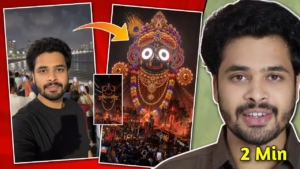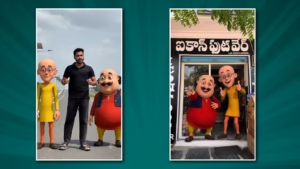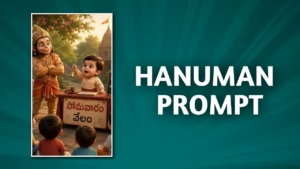
AI-generated images are everywhere right now. Open Instagram, YouTube, X, or Pinterest, and you’ll instantly notice cinematic portraits, anime avatars, hyper-realistic selfies, fantasy posters, and futuristic thumbnails flooding social media. The crazy part? Most of those visuals are not created in Photoshop anymore. They’re being generated with simple text prompts inside ChatGPT and other AI tools. According to recent reports, India has become one of the biggest users of ChatGPT image generation tools, with creators using them heavily for anime portraits, storytelling visuals, and social media branding Making AI Photos Using Prompts in ChatGPT.
The biggest shift in 2026 is that AI image creation is no longer complicated. Earlier, you needed design skills, editing software, expensive hardware, or years of creative experience. Now you just type what you imagine, and AI converts those words into visuals. That sounds simple on the surface, but the real secret lies in prompt writing. A weak prompt creates average results. A powerful prompt creates cinematic masterpieces. Think of prompts like giving directions to a movie director. If your instructions are vague, the movie becomes messy. If your instructions are detailed, emotional, and structured, the result feels magical.
This guide will show you exactly how to create amazing AI photos using prompts in ChatGPT. You’ll learn what prompts are, why they matter, how professionals structure them, the best prompt formulas, common mistakes beginners make, trending AI photo styles in 2026, and practical prompt examples you can immediately copy and customize for your own content.
What Is AI Photo Generation in ChatGPT?
AI photo generation is the process of creating images using artificial intelligence through simple text instructions. Instead of drawing manually or editing images with advanced software, users can type descriptions like “a cinematic portrait of a man standing in rain with neon lights” and the AI generates a visual matching those words. Modern ChatGPT image models are now capable of producing hyper-realistic photos, detailed fantasy artwork, poster designs, product shots, and even professional thumbnails. Recent reports show that users worldwide are increasingly using ChatGPT for anime avatars, cinematic headshots, and storytelling visuals.
The technology behind this feels almost magical, but it works through pattern learning. AI models are trained on huge datasets containing millions of images and text descriptions. When you type a prompt, the system predicts what the requested image should look like. It understands composition, colors, lighting, emotion, perspective, and even camera effects. The latest image models introduced inside ChatGPT can also handle text rendering, consistent characters, and complex scenes much better than older AI tools.
What makes ChatGPT stand out is the conversational workflow. Earlier AI tools forced users to learn technical commands. Now you can simply talk naturally. You can say things like “make the background darker,” “add cinematic lighting,” or “change the character into anime style,” and the AI understands context. This conversational refinement saves creators huge amounts of time. Instead of starting over again and again, users can continuously improve their images through natural dialogue.
The explosion of AI visuals on social media happened because people realized they no longer need expensive design skills. Students, YouTubers, bloggers, marketers, freelancers, and small business owners can all create professional-looking visuals instantly. That accessibility is changing the creative industry faster than most people expected.
Understanding the Power of Prompts
A prompt is simply the instruction you give the AI. But in practice, prompts are much more than random sentences. They are creative blueprints. Every detail inside a prompt influences the final image, from lighting and mood to clothing, camera angle, color palette, and environment. The better your prompt, the better your AI image becomes.
Imagine asking a photographer to take your picture. If you only say “take a photo,” the result may look ordinary. But if you say, “Take a cinematic portrait during golden hour with soft sunlight, shallow depth of field, and a rainy cyberpunk street background,” suddenly the outcome becomes dramatic and artistic. AI works the same way. Detailed instructions guide the model toward a specific visual direction.
One of the biggest misconceptions beginners have is thinking short prompts are enough. While simple prompts sometimes work, detailed prompts almost always produce superior results. Modern ChatGPT image models are designed to understand layered instructions and contextual details. That means the AI can process multiple visual elements at once, including mood, realism, environment, clothing style, artistic themes, and cinematic composition.
Here’s a simple comparison table showing the difference between weak and strong prompts:
| Weak Prompt | Strong Prompt |
|---|---|
| A girl standing outside | A cinematic portrait of a young woman standing in Tokyo streets at night, neon reflections, rainy atmosphere, shallow depth of field, ultra realistic |
| A futuristic city | Massive futuristic cyberpunk city at sunset, flying cars, glowing holograms, cinematic lighting, ultra detailed skyline |
| Anime boy | Anime-style teenage boy with silver hair, dramatic blue lighting, fantasy armor, magical aura, Studio Ghibli-inspired style |
The difference is massive. Strong prompts provide direction, mood, and context. Weak prompts leave too much uncertainty for the AI to interpret correctly.
Essential Elements of a Perfect AI Photo Prompt
Creating amazing AI images consistently requires understanding the core building blocks of prompt engineering. Think of prompts like recipes. Every ingredient changes the final flavor. When you combine the right ingredients, your AI images become far more cinematic, realistic, and professional.
Subject Description
The subject is the heart of your image. This defines who or what appears in the visual. Beginners often make the mistake of being too generic here. Instead of saying “a man,” describe age, clothing, hairstyle, facial expression, pose, and emotion. AI responds exceptionally well to descriptive storytelling.
For example:
- “A 25-year-old man wearing a black leather jacket”
- “A confident female warrior with silver armor”
- “A smiling child holding balloons during sunset”
Specificity creates stronger outputs because the AI understands the character more clearly. Detailed descriptions also help maintain consistency when creating multiple images for social media branding or storytelling.
Lighting and Mood
Lighting changes everything. A single lighting adjustment can make an image feel emotional, mysterious, luxurious, or cinematic. Modern AI tools are highly responsive to lighting prompts.
Popular lighting styles include:
- Golden hour lighting
- Neon cyberpunk lighting
- Soft studio lighting
- Dramatic cinematic shadows
- Sunset glow
- Rain reflections
- Moody dark atmosphere
Lighting is basically the emotional language of photography. If subject description is the actor, lighting is the soundtrack.
Camera Angles and Lens Styles
Professional photographers understand how lens choice changes storytelling. AI now understands these details too. Adding camera-related terms dramatically improves realism.
Examples include:
- Close-up portrait
- Wide-angle shot
- Drone perspective
- Shallow depth of field
- Bokeh effect
- DSLR quality
- 85mm lens
- Ultra realistic photography
These phrases guide the AI toward more authentic camera aesthetics instead of flat-looking illustrations.
Background and Environment
Backgrounds are often overlooked, but they add context and storytelling power. Compare these two prompts:
- “A man standing”
- “A man standing on a rainy Tokyo street with glowing neon signs and reflections”
The second prompt instantly creates atmosphere. Environment transforms static visuals into cinematic scenes.
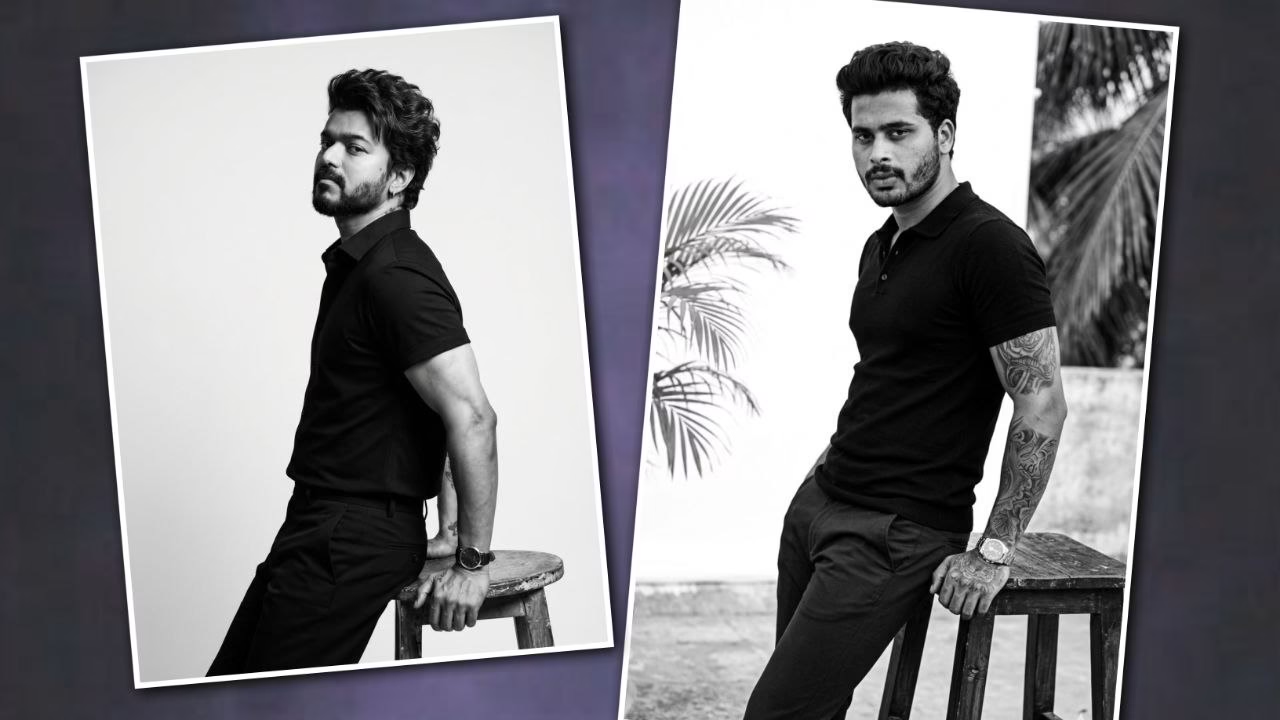
HERE IS THR PTOMPT
A striking, full-body black and white photograph featuring a muscular man in profile, leaning elegantly against a rustic wooden stool. The man has thick, wavy, dark hair styled back and a full, well-groomed beard and mustache. He is wearing a dark, high-quality knit polo shirt, dark trousers, and a sleek, stainless steel watch on his right wrist. His right hand is resting naturally on the stool, showing intricate tattoos on his arm and fingers, while his left hand rests in his pocket. He is gazing thoughtfully off to the left with a strong, determined expression, his face capturing the subject’s likeness from the provided image. The lighting is low and sophisticated, emphasizing the texture of his hair, beard, and clothing, as well as the details of his tattoos and muscles. The background is a simple, seamless white, with subtle natural elements like palm fronds and rocks softly blurred in the distance. The composition is clean, powerful, and artistic, resembling a high-fashion editorial shoot.A full-body black and white photograph in profile of a muscular Indian man with the likeness of the individual in the reference image, including his distinct beard and wavy hair. He is leaning casually against a dark, rustic wooden stool. He is wearing a tight-fitting black polo shirt and black trousers, a stainless steel watch on his right wrist, and showcasing his specific intricate tattoos on his right arm and hand. He has a powerful expression and is looking slightly towards the camera. The background is a seamless white studio setting with natural light and a few blurred palm leaves and concrete structures. Shot on a Canon EOS-1D X Mark III.<ctrl46> don’t change my face.
Step-by-Step Process to Create AI Photos in ChatGPT
Creating AI images inside ChatGPT is surprisingly easy once you understand the workflow. The process feels more like talking to a creative assistant than operating software. According to recent testing reports, ChatGPT image generation has become significantly faster and more conversational compared to earlier AI systems.
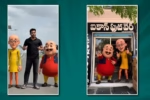
Step 1 – Open ChatGPT Image Generator
The first step is simply accessing ChatGPT’s image generation feature. Modern ChatGPT versions integrate image creation directly into conversations, which means users can generate and refine visuals naturally. Instead of switching between tools, everything happens inside the same interface.
You can begin with something simple like:
“Create a cinematic portrait of a man in a futuristic city.”
The AI generates an initial image based on your request. Think of this first result as a draft, not the final masterpiece.
Step 2 – Write a Structured Prompt
This is where real creativity begins. A structured prompt should include:
- Subject
- Environment
- Lighting
- Camera style
- Artistic mood
- Quality details
Example:
“Create an ultra realistic cinematic portrait of a young man wearing a black hoodie standing in rainy Tokyo streets at night, neon lights reflecting on wet roads, shallow depth of field, dramatic lighting, DSLR photography, highly detailed.”
This structured approach creates dramatically better results than short prompts.
Step 3 – Refine and Edit the Image
The real superpower of ChatGPT image generation is refinement. Instead of starting over, you can continue improving the same image conversationally.
Examples:
- “Make the lighting warmer.”
- “Add more rain reflections.”
- “Turn this into anime style.”
- “Change the background into a futuristic city.”
- “Make the image look like a movie poster.”
This iterative workflow is one reason ChatGPT became so popular among creators.
Best AI Photo Prompt Styles in 2026
AI image trends evolve incredibly fast. What looked futuristic last year becomes common within months. In 2026, several visual styles are dominating social media and creator communities.
Cinematic Portrait Prompts
Cinematic prompts are among the most popular because they instantly make images feel expensive and emotional. These prompts borrow techniques from filmmaking, including dramatic lighting, color grading, and storytelling compositions.
Example:
“Ultra realistic cinematic portrait of a woman walking through rainy neon-lit streets in Tokyo, emotional expression, dramatic shadows, movie scene aesthetic, shallow depth of field.”
These images feel immersive because they tell stories rather than simply showing faces.
Anime and Fantasy Styles
Anime-style prompts exploded globally, especially among younger creators. Reports suggest anime-inspired AI visuals are one of the most used ChatGPT image trends in India right now.
Popular prompt styles include:
- Studio Ghibli-inspired scenes
- Fantasy warriors
- Magical forests
- Futuristic anime cities
- Cyberpunk anime characters
Anime prompts work best when combined with emotional storytelling and colorful lighting.
Viral Social Media Trends
Social media trends change weekly, but nostalgic AI photo prompts are currently dominating platforms. One especially viral trend involves generating emotional “childhood self” portraits using AI.
Childhood Self AI Trend
This trend blends current photos with imagined childhood scenes. Users create emotional portraits where adult and child versions of themselves interact naturally.
Example prompt:
“Create a realistic black-and-white portrait of my adult self sitting across from my childhood self at a birthday table, emotional cinematic atmosphere, nostalgic lighting, ultra detailed photography.”
People connect deeply with these images because they combine technology with emotion. Instead of just creating visuals, AI becomes a storytelling tool.
Common Prompt Mistakes Beginners Make
Many beginners assume AI image generation is completely automatic. They type vague instructions, receive average images, and then conclude the technology is overrated. In reality, most poor AI images come from poor prompts, not weak AI models.
One major mistake is being too generic. Prompts like “make a cool photo” provide almost no creative direction. AI needs specifics. Another common problem is overloading prompts with conflicting instructions. If you ask for realistic photography, anime style, watercolor painting, futuristic sci-fi, and vintage aesthetics all at once, the AI becomes confused.
Another mistake involves ignoring composition and lighting. Beginners focus only on the subject but forget the environment. Great visuals depend on atmosphere. Rain, fog, shadows, reflections, sunsets, neon lights, and cinematic angles all contribute to professional-looking results.
Many users also stop after the first generation. That’s like quitting after writing the first draft of a novel. Professional creators refine images repeatedly. They adjust colors, add details, improve backgrounds, and experiment with variations until the image feels polished.
Perhaps the biggest mistake is copying prompts without understanding structure. Viral prompts work because they combine storytelling, emotion, technical photography language, and visual clarity. Once you understand that structure, you can create your own unique prompts instead of relying on copied templates.
Tips to Make AI Photos Look Realistic
Realistic AI images require more than simply typing “ultra realistic.” The secret lies in layering believable visual details. Realism comes from imperfections, lighting consistency, environmental interaction, and cinematic composition.
One effective strategy is adding photography terminology. AI understands camera language surprisingly well. Terms like “DSLR photography,” “85mm lens,” “soft shadows,” and “shallow depth of field” instantly improve realism.
Another trick involves environmental storytelling. Real life contains texture and interaction. Wet roads reflect light. Wind moves hair. Rain creates atmosphere. Sunlight casts shadows. Including these details helps AI simulate reality more accurately.
Facial expressions also matter. Emotion makes images feel human. Instead of “a woman smiling,” try:
“A woman with a subtle emotional smile, reflective eyes, cinematic lighting.”
Tiny emotional details create stronger viewer connection.
Many creators also use color grading references inspired by movies. For example:
- Blade Runner aesthetic
- Marvel cinematic lighting
- Warm Kodak film tones
- Dark noir atmosphere
These references guide AI toward recognizable visual moods.
Recent community testing shows modern ChatGPT image systems now handle complex compositions, lighting logic, and text rendering much better than earlier AI generations. That means creators can now generate poster-quality visuals with fewer corrections.
Using AI Photos for Content Creation and Business
AI-generated images are no longer just entertainment. They’re becoming powerful business tools. Bloggers use them for featured images. YouTubers create thumbnails. Instagram creators design posts and reels covers. Freelancers generate client mockups. Small businesses create advertisements without expensive design teams.
This shift is massive because visual content traditionally required time, money, and specialized skills. AI dramatically lowers those barriers. According to industry reports, creators increasingly use ChatGPT image generation for branding, storytelling, thumbnails, advertisements, and product visuals.
For content creators, speed is a huge advantage. A thumbnail that once required hours in Photoshop can now be generated within minutes. AI also allows endless experimentation. You can test multiple styles rapidly without starting from scratch each time.
Businesses benefit too. Restaurants can create promotional posters. Fashion brands can prototype campaigns. Coaches can design motivational graphics. Even students can create polished presentations and project visuals.
Still, successful creators understand one important thing: AI is a tool, not magic. Strong creativity still matters. The people getting viral results are usually those who combine storytelling, branding, and clever prompts together.
That’s why prompt engineering is becoming a valuable creative skill in itself. The better you communicate your vision, the better your AI visuals become.
Future of AI Image Generation
The future of AI image generation looks incredibly powerful. Current systems already create cinematic visuals within seconds, but the next evolution is deeper reasoning and creative consistency. Reports indicate that newer ChatGPT image systems are beginning to “think” more carefully about prompts rather than simply generating random visual patterns.
One major improvement is consistency across multiple images. Earlier AI tools struggled to maintain the same character appearance from one image to another. Modern systems are rapidly improving in this area, making storytelling and branding easier.
Another huge development is multimodal creativity. Users can now combine text, images, sketches, and editing instructions together inside conversations. This turns AI from a simple image generator into a collaborative creative assistant.
We’re also seeing emotional storytelling become central to viral AI trends. The popularity of nostalgic “childhood self” images proves that people want emotionally meaningful content, not just technical realism.
As AI improves, creators who understand visual storytelling will likely stand out more than those who simply generate random images. Technology keeps evolving, but human imagination remains the real engine behind great art.
Conclusion
Making AI photos using prompts in ChatGPT is one of the biggest creative revolutions happening right now. What once required advanced design skills can now be done with imagination and well-written prompts. The secret is not just typing random descriptions but learning how to structure prompts using subject details, lighting, camera styles, emotions, and environments.
The best AI images feel cinematic because they combine storytelling with visual precision. Whether you want anime portraits, futuristic thumbnails, realistic photography, fantasy artwork, or viral social media visuals, your results depend heavily on the quality of your prompts.
Modern ChatGPT image generation tools are becoming faster, smarter, and more conversational. Creators worldwide are already using them for branding, storytelling, content creation, and business marketing. The opportunity is enormous for anyone willing to experiment and improve their prompt-writing skills.
AI may generate the image, but your imagination still directs the movie. Making AI Photos Using Prompts in ChatGPT